Arrange it your way
Easily arrange your apps, folders, and widgets, then apply that exact layout directly to your iPhone.
 Thumbwise
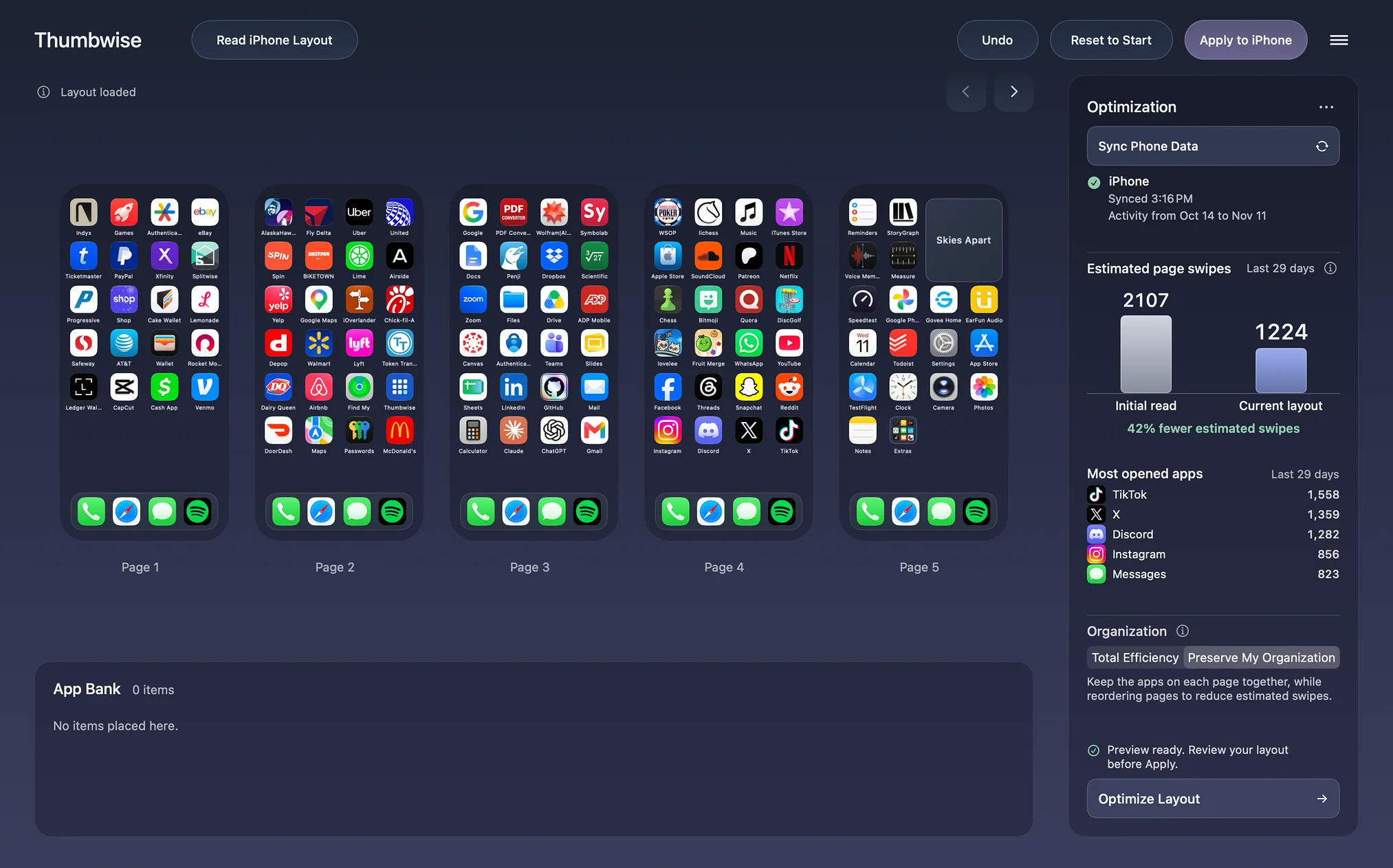
Rearrange your Home Screen on a big screen, get a layout with fewer swipes from your app usage, or let an AI assistant like Claude do it. Then apply it to your iPhone.
Free to try, $14.99 once to applyYour layout stays on your MacNo jailbreak
Best 15 bucks I spent in a long while!
Free to download. Requires a Mac with Apple silicon and macOS 15 or later, and an iPhone on iOS 27 connected with a USB data cable (not a charge-only cable). iPad and iPhone Duo aren’t supported. After downloading, open Thumbwise and choose Move to Applications.
Make it yours, without the fiddling
Easily arrange your apps, folders, and widgets, then apply that exact layout directly to your iPhone.
Set apps aside while you rearrange, then place them where you want.
Move an app without shuffling the others. Apps you keep in the App Library stay there, off your Home Screen.
Optional, data-informed optimization

Another way to make it yours

Reviews
What they said by email, on Reddit and on X, in their own words.
Thumbwise completely transformed my iPhone Home Screen. After years of accumulated clutter, I now have 55 beautifully organized folders, with my most important apps exactly where I want them. The app is intuitive, powerful, and its AI integration takes organization to another level. What really stands out is Drake's incredible responsiveness—he listens to feedback, fixes issues quickly, and genuinely cares about his users. Highly recommended!
I tried a few competitors leaving me with a total ruined layout, and /or poor widget handling (as in not handling, or crashing). Thumbwise looks polished, is thought through, the developer solved everything the other apps couldn't and it's even supporting Extra Large Widgets - i couldn't be happier. Thank you man. I mean it.
Thumbwise is a life saver. I use my phone to manage a theater company and being able to quickly move icons with AI storing the template sounds small, but getting 200 people in to see a show requires efficiency. And different shows use different app combos. 10/10 would recommend!
I have a lot of apps on my iOS device, and I really need an application to help me organize them. I’ve tried doing it manually before, and it took so much time. Now that I’ve discovered the Thumbwise app, the process is almost automatic. My apps are organized just the way I want them. I really wish I’d found this app sooner. Recommended!
The best find of the year. wow. Was dreaming for something like this. Hooked up Claude to the Thumbwise MCP, told it how I wanted to organize my apps, and it organized it perfectly!
Just used it and arranged 10 pages worth of apps! Fantastic!!! Best 15 bucks I spent in a long while!
Before you begin
Pricing & license
Download Thumbwise, then organize and preview your layout for free.
By buying you agree to the Terms.
Checkout is handled by Lemon Squeezy.
No. There’s no app, profile or jailbreak. Connect with a USB data cable, tap “Trust This Computer”, and Thumbwise only changes your Home Screen layout.
Thumbwise backs up your current layout before every Apply, and you can restore an earlier layout anytime.
A Mac with Apple silicon on macOS 15 or later, an iPhone on iOS 27, and a USB cable that carries data (not a charge-only cable).
Downloading, organizing and previewing are free. $14.99 USD once unlocks Apply. No subscription.
Your iPhone layout and app activity stay on your Mac. There’s no account and no Thumbwise server for that data. See Privacy for what the app does send.
Yes. Connect Claude or Codex in AI Integration and describe the layout you want. You see the result before anything changes on your iPhone.
Help & feedback
Questions about the app, pricing or activation? Feedback on the workflow? Email support at the address below.